Features
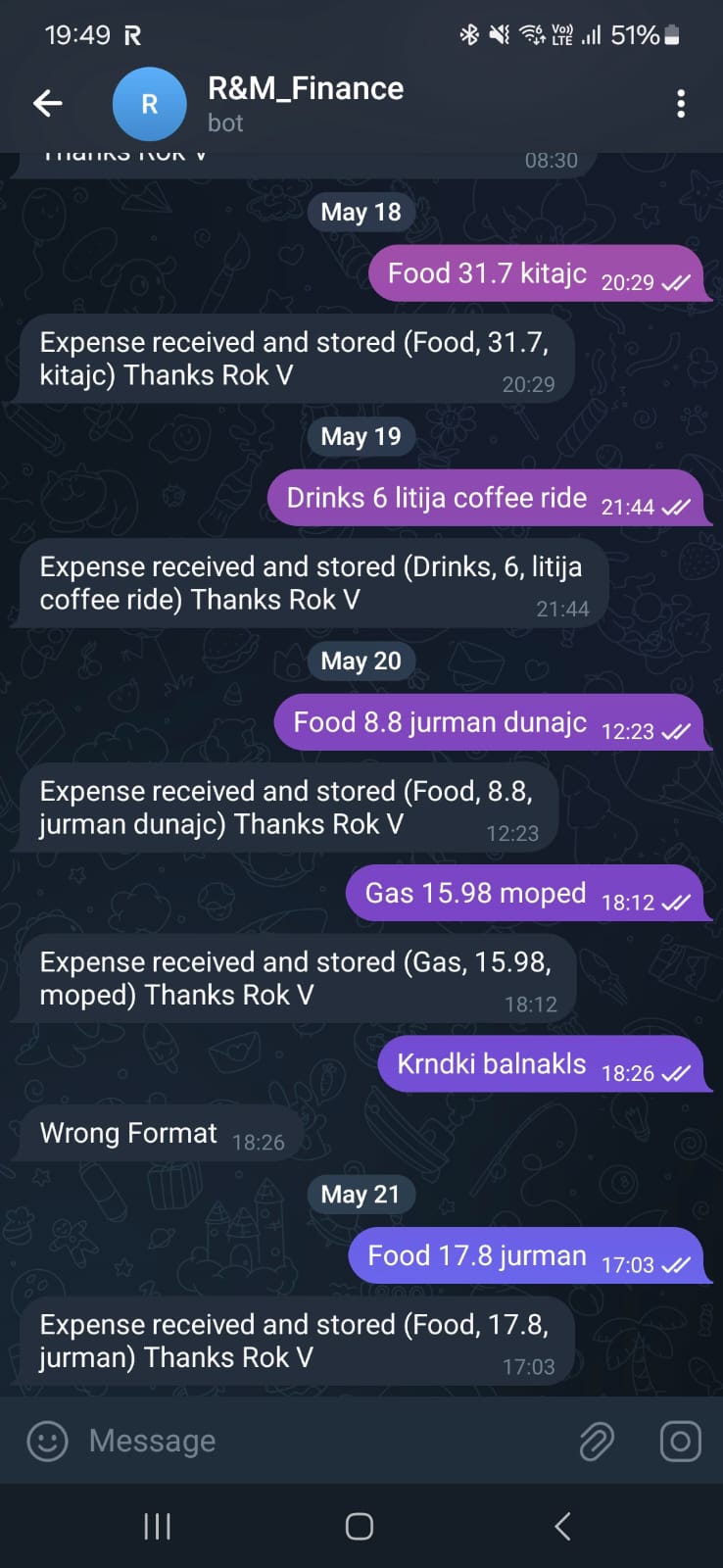
- Expense/income logging by text in Telegram
- Multi-user support — multiple people can log expenses into the same database
- Spreadsheet overview of expense/income flows by category
- Spreadsheet overview of expense/income flows by month
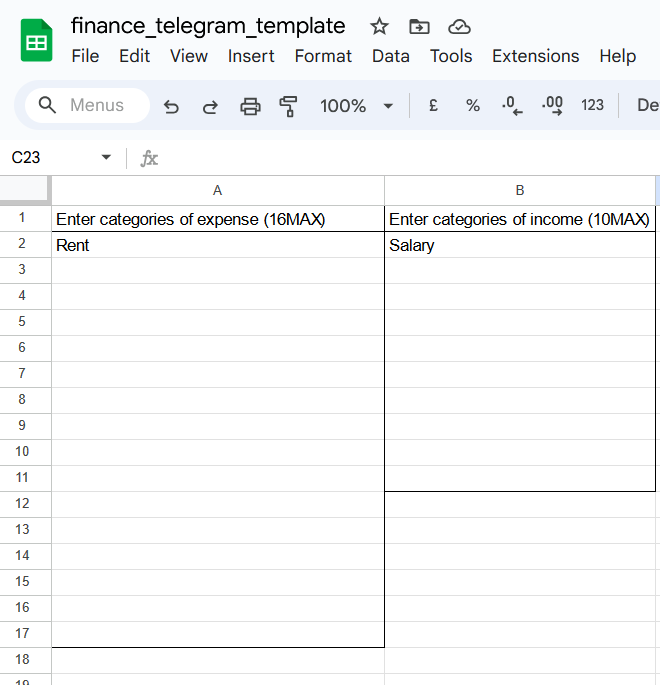
- Custom dynamic categories — 16 expense, 10 income
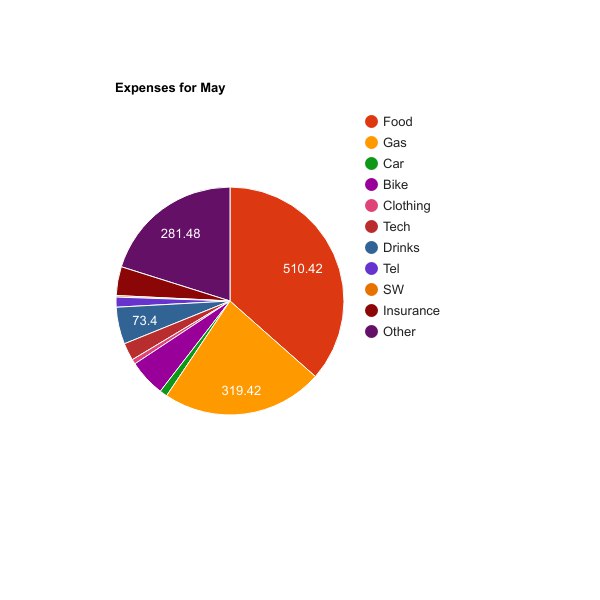
- Monthly report in chat
- Monthly recurring expenses can be automated
Planned improvements
- Your year in finance
- Additional weekly/monthly insights
- Weekly report
Introduction
Expense tracking these days is quite complex because of:
- Different income sources
- Different payment methods
- A single person often has multiple credit/debit cards in addition to cash
Expense/income tracking apps exist but they have downsides:
- Cannot connect to all services
- Tracking cash payments is still manual
- Do we really need another app on our phone?
For Millennials, Gen Z, and younger generations, text messaging is a very natural input to smart devices. With that in mind I designed an application that lives completely free in your Google account (if you're willing to pay the data toll to our friendly neighbourhood tech giant).
Final result
At the end we will have a Telegram chat where we can input expenses and earnings. All expenses go into Google Sheets where they are automatically sorted monthly by category.
Architecture overview
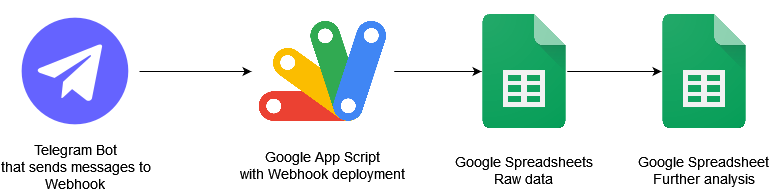
The frontend of our app is Telegram — a well-known messaging application similar to Viber and WhatsApp. Telegram has great "Bot support" and it is easy to configure a Bot to send data to a webhook.
The webhook is a Google App Script Web App. App Script enables JavaScript code that communicates with Google documents. It intercepts Telegram messages, validates the format, and appends the data to a spreadsheet. The spreadsheet then further organises data by months and categories.
Deployment guide
Google Sheets
Just open this document and copy it to your Google account:
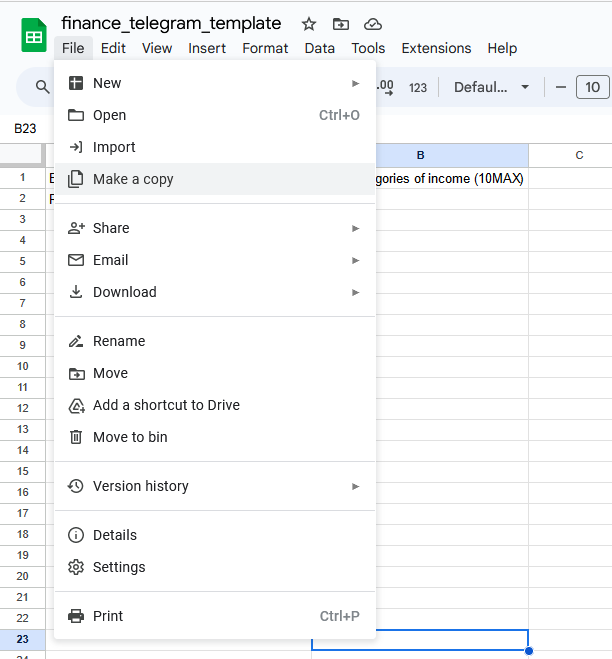
Telegram Bot
Set up Telegram on your phone number, then:
- Open Telegram on your PC: Telegram Web
-
Open chat with @BotFather:
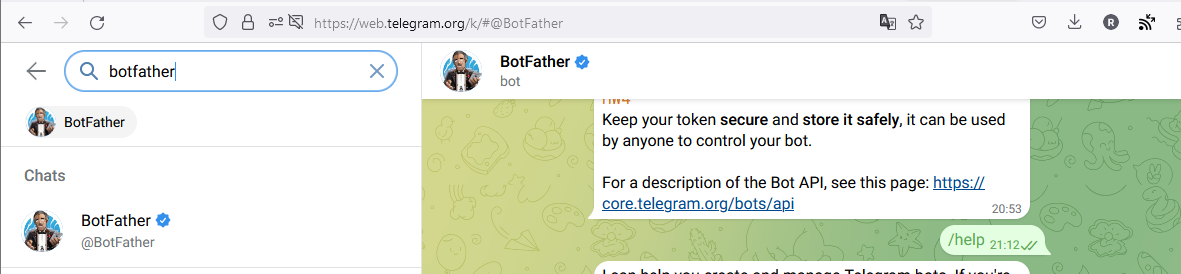
BotFather Telegram Chat -
Type
/newbotand follow instructions: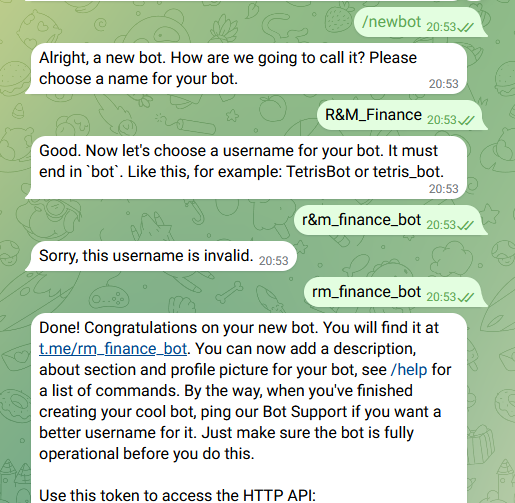
Create new bot in Telegram - The API key will be shown — you'll need it. Leave the chat open and proceed.
AppScript
I developed an AppScript that handles communication between Telegram and Google Sheets. Full source code: GitHub repository
- Go to Google App Script logged into your account.
- Create a new Project.
-
Rename the project:
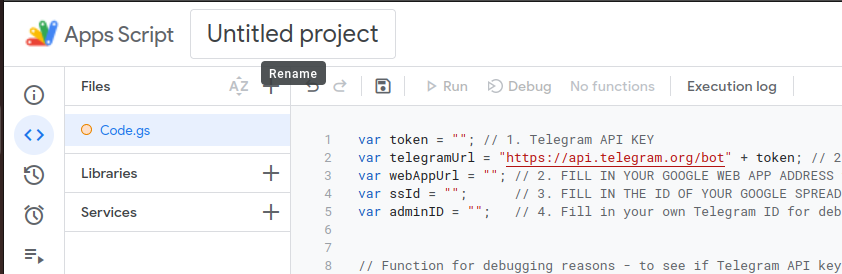
AppScript — rename project - Copy the code from GitHub into
Code.gs. -
Populate the initial variables:
- Telegram API key
-
ssID (Spreadsheet ID from the URL):

Google Spreadsheet ID - AdminID (your Telegram ID — message
/startto @userinfobot) - webAppUrl — proceed to the next step first
- Save the project.
-
Deploy → New Deployment:

Deploy — New deployment -
Select Web App type and configure:
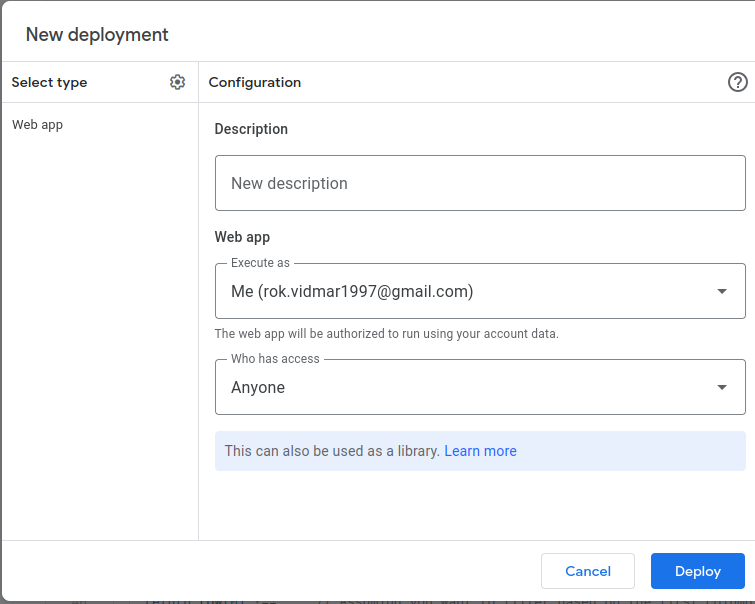
Deploy — Select type -
Authorize the app:
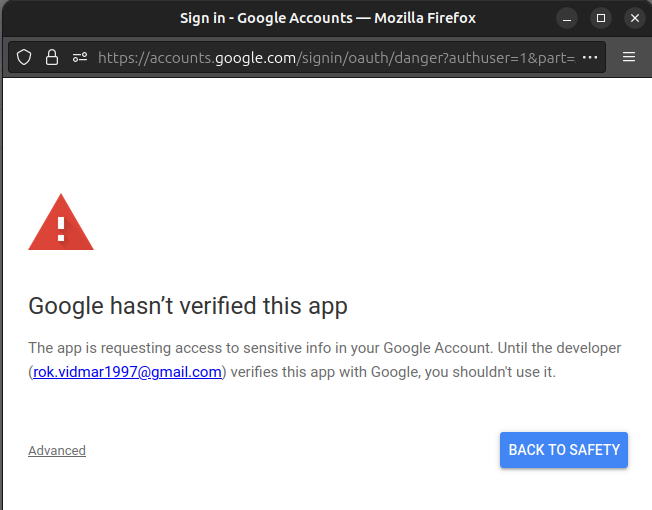
Deploy — Authorize app -
Copy the Web App URL and use it in step 5:
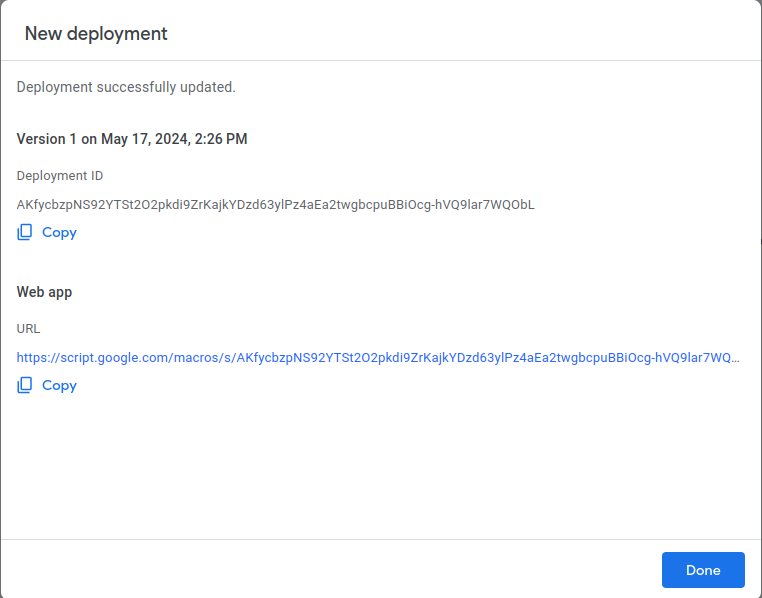
Google Web App URL For updating: How to edit versioned deployment
-
Run
setWebhookfunction:
Run setup webhook - Run
sheetPermissionsto authorize sheet access. - Set up a daily trigger for recurring expenses.
Post deployment
Open Telegram, write HELP to your bot:
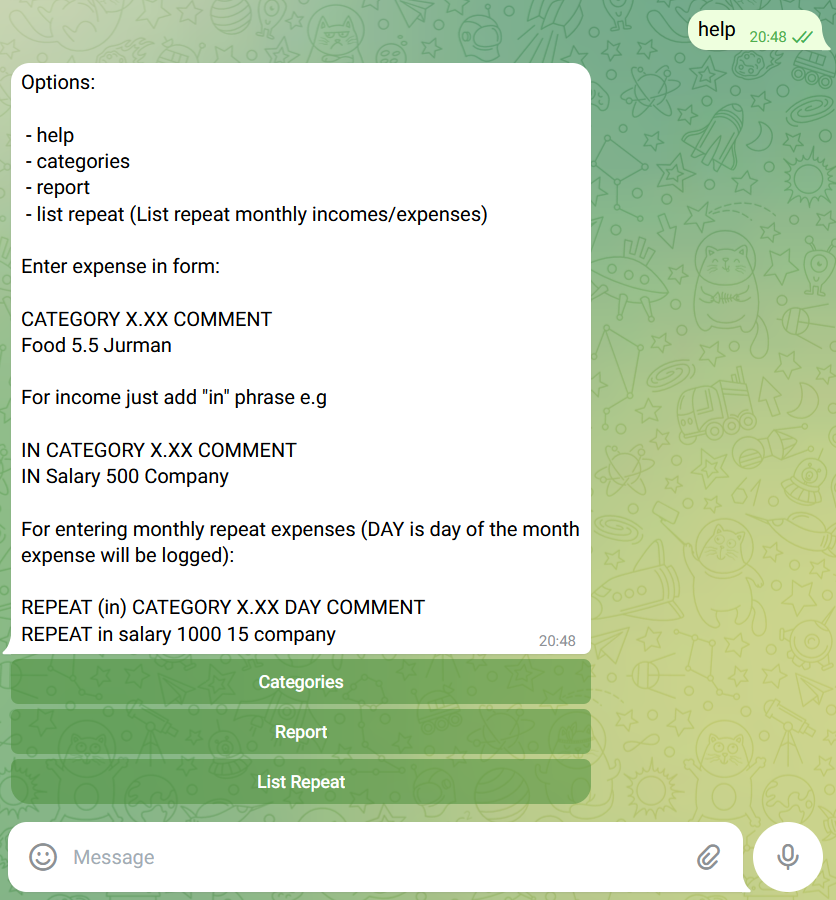
All inputs can later be edited/removed directly in the spreadsheet.
Configuration
Open the Categories sheet to configure your custom categories (16 expense + 10 income):